Wiki .js configure LDAP authentication
This article was last updated on: March 10, 2026 am
After installing wikijs, you can configure it in detail. The configuration of LDAP authentication is described here.
at Manage > Authentication > Add Policy -> Select LDAP/AD As follows:
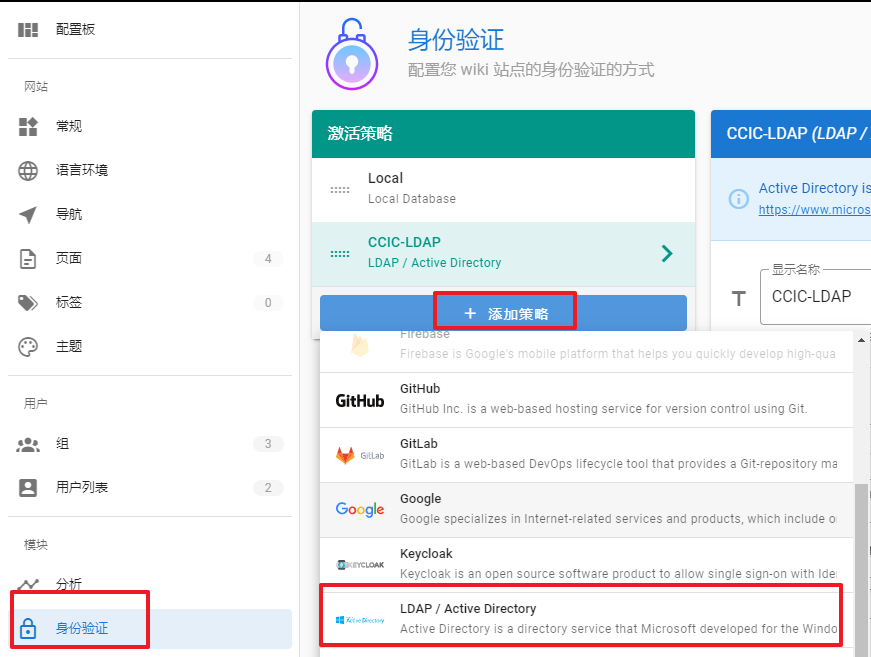
Next, let’s configure in detail:
-
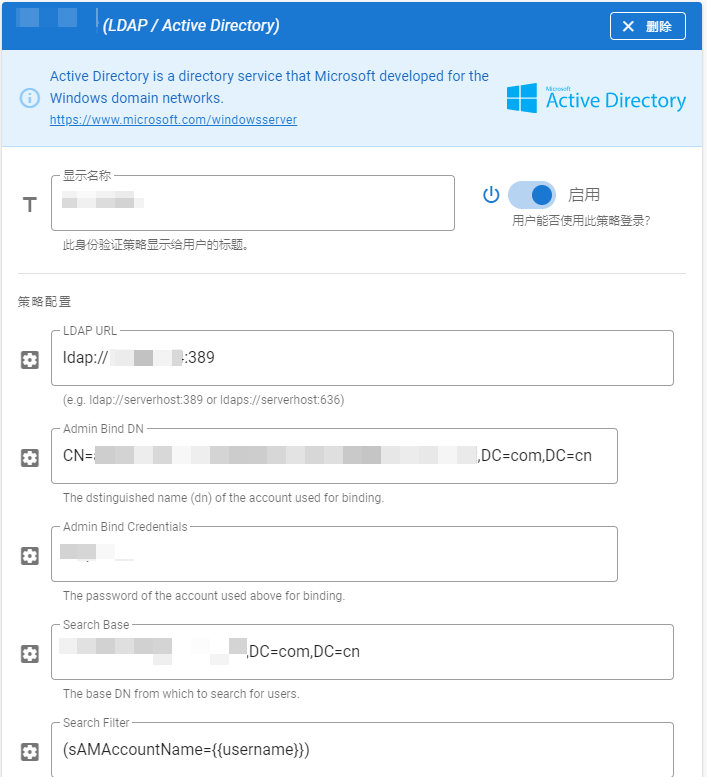
Display name: Modify as needed
-
Enabled: Yes
-
LDAP URL: The format is:
ldap://serverhost:389orldaps://serverhost:636 -
Admin Bind DN:
CN=xxxx,OU=xxxx部,OU=xxxx,DC=xxxxx-net,DC=com,DC=cn❗ Note:
Be sure to clarify the complete information of the CN. Determine attribution
OU=xxxx部,OU=xxxx,DC=xxxxx-net,DC=com,DC=cn…Otherwise, an error will be reported when logging in:
账号/密码错误 -
Admin Bind Credentials: above
CNpassword; -
Search Base: An example of which base DN to search for users from is as follows:
OU=xxxx,DC=xxxxx-net,DC=com,DC=cn -
Serach Filter, in the following format:
(id={{username}}).idItems that need to be replaced with the corresponding LDAP are, typically:(sAMAccountName={{username}})or(uid={{username}}) -
Use TLS: On demand
-
Verify TLS Certificate: On demand
-
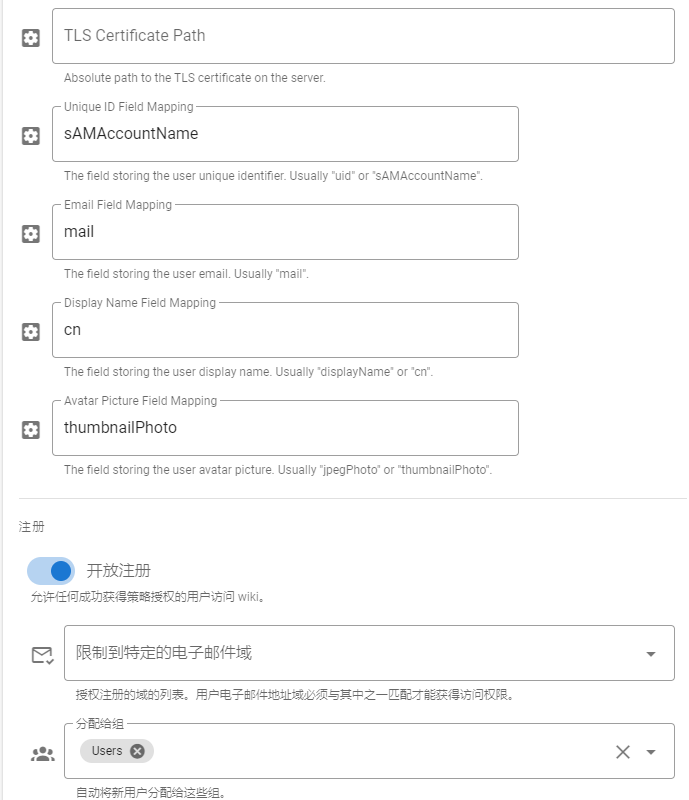
TLS Certificate Path: On demand
-
Unique ID Field Mapping: Generally:
uidorsAMAccountName -
Email Field Mapping: Typically
mail -
Display Name Field Mapping: Typically
displayNameorcn -
Avatar Picture Field Mapping: Typically
thumbnailPhotoorjpegPhoto -
Open Registration: Enabled
-
Restrict to specific email domains: On demand
-
Assign to Group: Default Yes
Guest, adjust as needed.

The final summary is as follows: